The AI copilot for music production.
Describe what you want in plain English. Mozi builds it directly inside your DAW project — chords, drums, basslines, arrangements. Preview every change before it happens. Undo anything.
Works with Ableton Live, FL Studio, and Logic Pro on macOS. Free to start.
Built for how you create
Select your role to see how Mozi fits your workflow.
Your ideas, built at the speed of thought
You make the creative calls. Mozi handles the execution — writing MIDI, loading instruments, setting up arrangements directly inside your project. No menus. No guessing. Just describe what you hear.
- "Add an 808 pattern in F minor with a trap hi-hat groove" — done in seconds, not minutes
- Preview every note and device change as a clear diff before anything touches your project
- Layer sounds, build arrangements, swap instruments — your creative vision, executed safely
Your DAW is powerful. Using it shouldn't be this hard.
- Hours lost on repetitive setup, routing, and boilerplate
- Features buried behind menus, views, and sub-menus
- One wrong move can wreck your entire session
- AI chatbots can explain things — but can't safely do them
Mozi does the work. You stay in control.
- Tell Mozi what you want in plain English
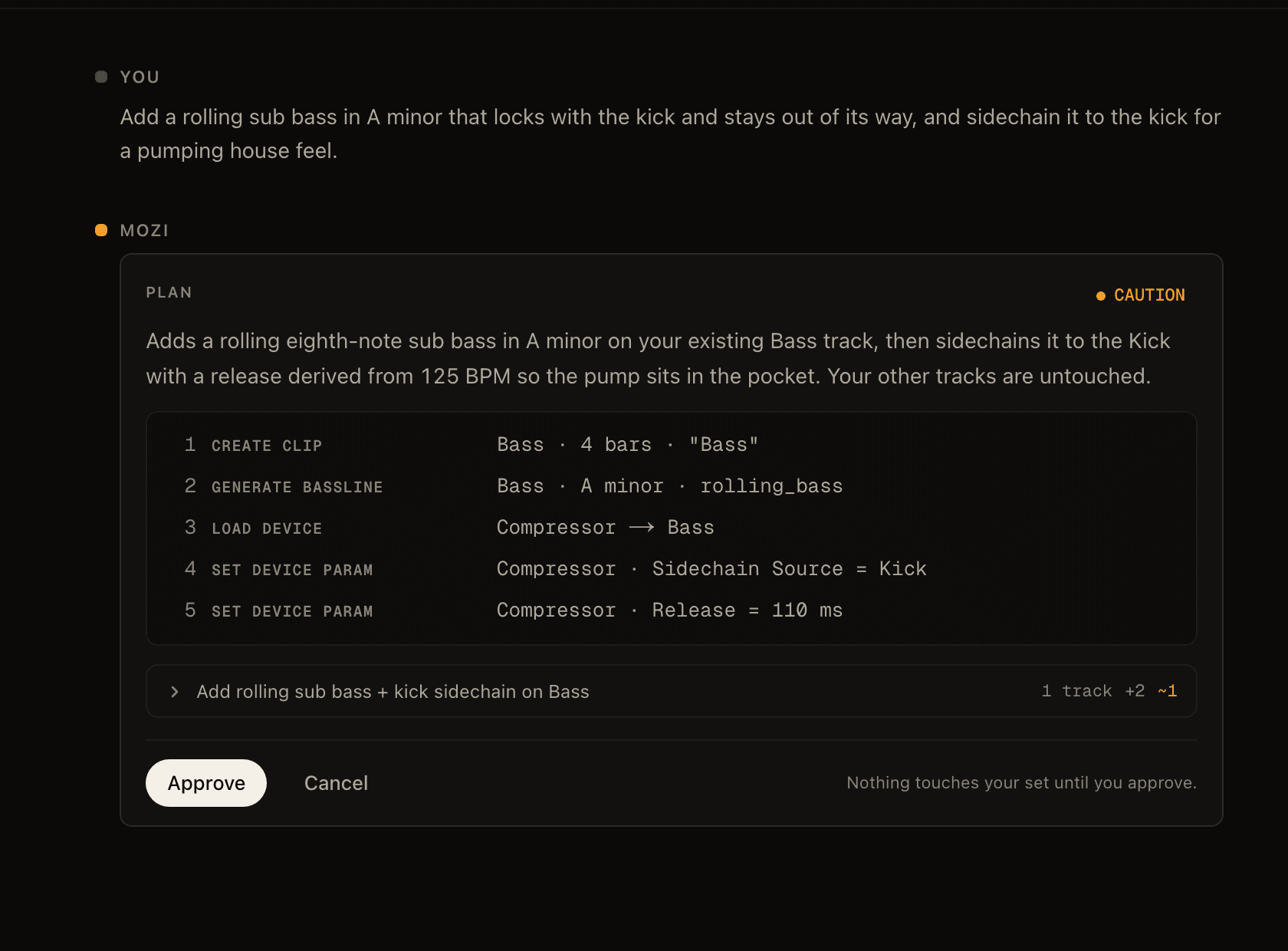
- Preview a clear diff of every change before it happens
- Deterministic execution — no flaky UI automation
- Automatic rollback if anything goes wrong
Why producers trust Mozi
Real commands. Real previews. Real rollback. Not another chatbot.
Preview & Rollback
Plan → Diff → Apply → Rollback. Every edit goes through an 8-stage pipeline. Preview exactly what will change. Full undo if anything goes wrong.
Project-Aware
Mozi knows your tracks, clips, devices, routing, key, and genre. Every decision is grounded in your actual project state.
Direct Control
Direct commands over your DAW's native API. No brittle UI automation. No screen clicking. No guessing. Every action is validated and verified.
From idea to execution in seconds
Three steps. Full control. Zero risk.
Describe
Tell Mozi what you want in plain English. "Add a 4-bar chord progression in A minor with a pad sound."
Preview
See a clear diff of every change before anything touches your project. Track creates, MIDI notes, device parameters — all visible.
Apply
One click to execute. Deterministic commands over your DAW's native API. Full rollback if anything fails. Your session is always safe.
Request Early Access
Mozi is in private beta. Tell us about yourself and we'll review your request.
Not impressed yet? Get on a call with me.
I'm Myles. I built Mozi. If something's broken, missing, or you just want to see what it can actually do, book 15 minutes with me. I'll walk you through it, answer anything, and if it's missing something you need, I'll build it.
Book a 1:1 with me